GPT Image 2.5 Sunburst
Create and edit images from text and image inputs. Choose Sunburst when editing precision matters most.
Read OpenAI’s Sunburst documentationTwo models, two creative priorities. Choose precise editing or fast everyday image generation.
Create and edit images from text and image inputs. Choose Sunburst when editing precision matters most.
Read OpenAI’s Sunburst documentationGenerate high-quality everyday images quickly. Flare accepts text and image inputs and produces image outputs.
Read OpenAI’s Flare documentationModel information checked against OpenAI’s official documentation on September 12, 2026.
TopView AI 2.0 Beta helps creators turn product pages, images, scripts, and avatars into short-form ads for TikTok, Reels, Shorts, and ecommerce campaigns.
 00:03.8
FREE CREATION STUDIO · NO SIGN-UP
Generate an image or video without leaving the homepage. Switch tools at any time; the selected generator loads in the full-height workspace below.
Loading the free image generator…
The full creative workspace will appear here.A complete product-video workflow
Explore several creative directions, choose the strongest story, and keep product facts accurate through the final export.
Choose the audience, offer, channel, and creative boundaries.
Generate distinct concepts, shots, stills, and voices.
Compare brand truth, motion, pacing, and total cost.
Ship channel-specific cuts and learn from performance.
Creative paths for product video
Give the video agent a distinctive, approved campaign keyframe instead of a generic prompt.
View workflow details ↗Asset → routePick text, image, or references according to the assets the campaign already trusts.
View workflow details ↗Story → 30 secMap hook, proof, offer, and CTA into a longer timed audio-video sequence.
View workflow details ↗Truth → storyboardGenerate or correct product-true storyboard frames before agentic video planning.
View workflow details ↗Hook → stereoPrototype a sound-led 15-second ad where the audible event supports the hook.
View workflow details ↗Signal → motionMove from reference frame to campaign-ready motion with a disciplined shot review.
View workflow details ↗Reference → systemCreate a reusable visual truth set for products, people, and environments.
View workflow details ↗Idea → conceptsTurn a clear campaign goal into several creative directions before polishing.
View workflow details ↗Script → presenterPlan presenter-led ads with consent, pronunciation, truth, and disclosure checks.
View workflow details ↗Choose the right plan
Credits, avatars, duration, collaboration, and promotions can change. Compare plans against the number and formats of product videos you expect to publish.
Your next campaign starts with one clear idea
FEATURES & WORKFLOWS
Start with the brand feature you need-Topview 4.0, AI Board, Drama Studio, product-to-video, or pricing-then open the guide that explains inputs, collaboration, and quality checks.
Independent 2026 verdict distilled from cited reviews—praise, criticism, credits reality and fit.
Open the relevant guide →Brand-keyword guide covering inputs, controls, evaluation criteria, and official-source checks.
Open the relevant guide →A source-linked definition of Topview as an AI video agent and collaborative board for marketing videos and short films.
Open the relevant guide →Understand the February 2026 collaborative multiplayer board launch, brand libraries, and multi-model routing.
Open the relevant guide →Plan real-time collaboration, comments, permissions, and asset organization across image, video, audio, and avatars.
Open the relevant guide →Compare credits, model access, avatars, exports and renewal terms with the official pricing page-no invented prices.
Open the relevant guide →Compare product-video quality, scripting, creative control, speed, usage rights, and practical limitations.
Open the relevant guide →Verify imported product facts, claims, avatars, disclosure and platform-ready exports.
Open the relevant guide →Long-form coverage of collaborative boards, multi-model routing, brand libraries, scorecards, and FAQ.
Open the relevant guide →Plan micro-dramas and short-form series with character continuity checks beside Canvas and Board.
Open the relevant guide →Long-form September 2026 coverage of Drama Studio workflows, scorecards, and brand-keyword FAQ.
Open the relevant guide →Long-form 2026-09-17 coverage with prompts, scorecards, and publishing checks.
Open the relevant guide →POPULAR QUESTIONS
Worth trying for product/UGC ad volume; avoid long annual until workflow proves reliable.
Read the supporting page →This independent guide maps the Topview AI video generator workflow. Confirm current features, access, and terms on the official Topview AI site.
Read the supporting page →Topview is marketed as an AI Video Agent and collaborative workspace for marketing videos and short films. Confirm current modules on the official site.
Read the supporting page →Topview 4.0 is the February 2026 collaborative multiplayer board generation of the platform, with multi-model routing and team brand libraries.
Read the supporting page →Board is a shared workspace for generating and reviewing image, video, audio, and avatar assets with multiplayer collaboration.
Read the supporting page →TopView may offer trial access or credits, while production features can require payment. Confirm current official terms-this site does not invent prices.
Read the supporting page →Drama Studio is Topview's micro-drama and short-form series lane for narrative continuity across characters, scenes, visuals, and sound.
Read the supporting page →Product access, model availability and plan limits can change. Confirm current details on the official Topview AI website before starting a paid project. Brand names belong to their respective owners. This site is an independent guide and is not affiliated with Topview.
EXPANDED AI MODEL LIBRARY · AUGUST 2026
Practical introductions to AI image generation, AI video generator and image-to-video systems, with one detailed page for every model.
Cinematic text-to-video, image-to-video and video editing with native synchronized audio.
Open model guide →MiniMax · AI video generatorOpen-weights audiovisual generation with text, first/last frames and multimodal references.
Open model guide →Alibaba · AI video generatorLonger multimodal video generation with flexible duration, references, audio and continuity controls.
Open model guide →Black Forest Labs · Multimodal generatorEarly-access multimodal model direction spanning video, image, synchronized audio and action prediction.
Open model guide →Krea · AI image generatorAesthetic image foundation model designed for expressive generation and creative control.
Open model guide →Alibaba Qwen · AI image generatorCurrent Qwen image family for prompt-led generation, editing and visually precise iteration.
Open model guide →ByteDance Seed · AI image generatorByteDance Seed's July 2026 image model for stronger image-text alignment, structural coherence, text rendering, visual aesthetics, and complex information visualization.
Open model guide →ByteDance · AI image generatorProduction image generation and editing model for detailed prompts and controlled visual revisions.
Open model guide →ByteDance · AI image generatorEarlier Seedream image model useful for comparing prompt interpretation, style and editing progress across releases.
Open model guide →OpenAI · AI image generatorNatural-language image generation and multi-reference editing for precise creative revision.
Open model guide →Google · AI image generatorFast Gemini image generation and editing with high-resolution output and localization features.
Open model guide →Google · AI image generatorHigher-detail Gemini image route focused on 4K-capable generation and editing.
Open model guide →Topview AI · CREATIVE WORKFLOW
A modular desk organizer is easier to understand when the video shows a specific transition: scattered tools become a usable workspace. Plan the demonstration so each object has a clear place and the product's role is visible. A dramatic setting cannot compensate for an unclear explanation.
Write separate briefs for the opening hook, product demonstration and closing message. Keep dimensions, features and offer details tied to approved product information. Use AI-generated scenes to explore presentation, then compare the result with the actual product before treating it as a customer-facing demonstration.
It introduces a recognizable situation or question that the following demonstration answers. The hook and the product sequence should belong to the same idea.
Hold the product facts and communication goal constant. Change one creative decision and record whether the new version makes the demonstration clearer.
THE CREATIVE NOTEBOOK
Explore a focused tutorial, a practical prompt guide and a real-world planning exercise. Each guide includes an original brief and a checklist for reviewing your result.

NEW CREATIVE GUIDE
A foldable reading-light demonstration: explore two original concept images, prompts and a practical production brief.
Explore the Topview AI creative guide →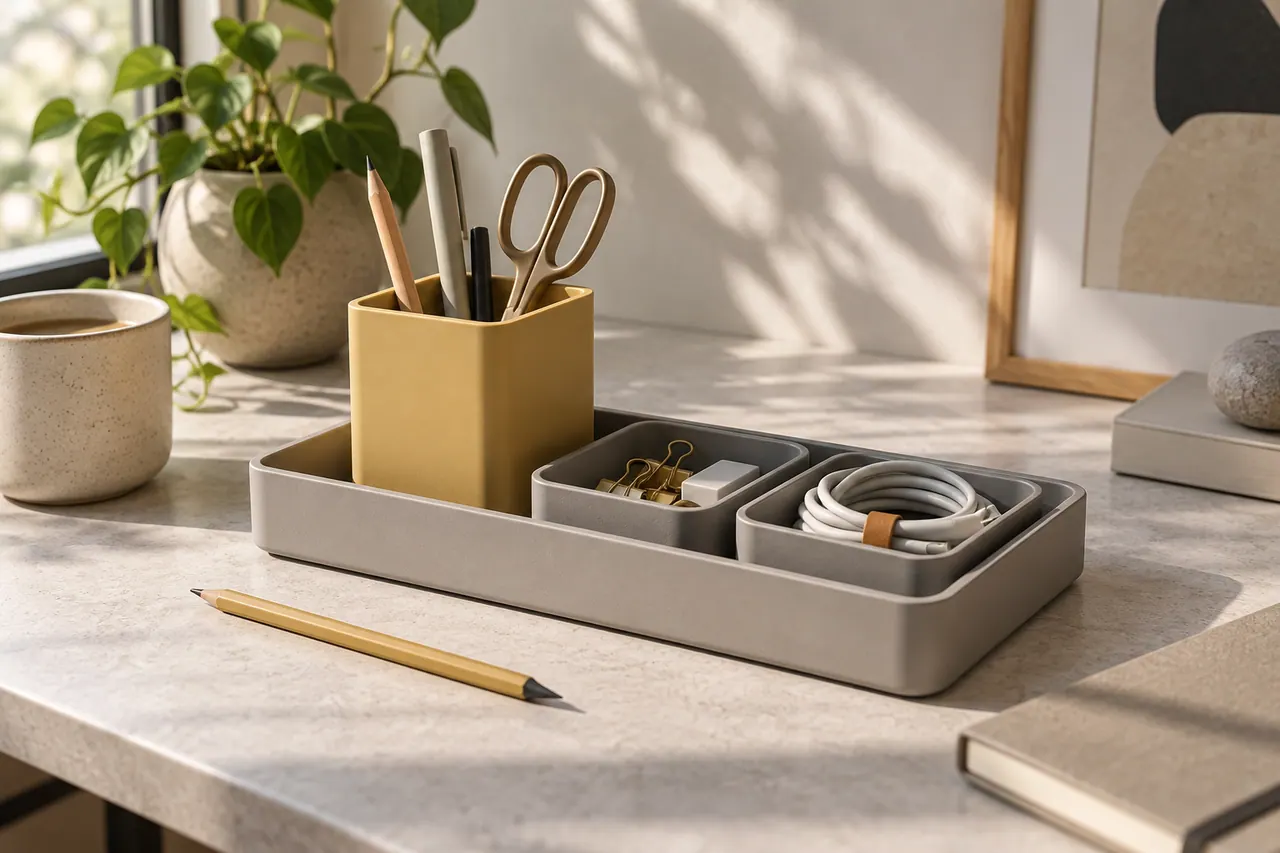
NEW IN THE JOURNAL
Develop Topview AI product-video concepts for a modular desk organizer, with demonstrations, shot prompts, hooks and practical ad evaluation.
Read the complete guide →